CashCraft is a personal finance tracker I build: multi-account balances, live currency conversion, budgets and analytics. It runs in the browser, installs as a PWA, and ships on Google Play. The part I spent the most time on was not a feature, it was the first second after you open it.
The problem with "load, then show"#
The obvious design is: open the app, wait for the auth state, fetch accounts from the cloud, then draw the dashboard. On a good connection that is fine. On a train, or on a phone that was asleep in a pocket, it is a spinner, and a finance app that shows a spinner when you just want to check a balance feels broken.
TikZ source
% libraries: arrows.meta
\begin{tikzpicture}[font=\sffamily\footnotesize, >={Stealth}, x=1cm, y=1cm]
  % time axis
  \draw[->, thick] (0,0) -- (11.6,0) node[right] {time};
  \node[above] at (0,0.1) {open app};
  % naive lane
  \node[anchor=east] at (-0.2,2.6) {load, then show};
  \fill[gray!35] (0,2.3) rectangle (6.8,2.9);
  \node at (3.4,2.6) {wait for auth + cloud};
  \fill[green!35] (6.8,2.3) rectangle (8.6,2.9);
  \node at (7.7,2.6) {data};
  % snapshot lane
  \node[anchor=east] at (-0.2,1.0) {snapshot first};
  \fill[green!35] (0,0.7) rectangle (1.4,1.3);
  \node at (0.7,1.0) {data};
  \fill[gray!25] (1.4,0.7) rectangle (6.8,1.3);
  \node at (4.1,1.0) {refresh in the background};
  \fill[blue!20] (6.8,0.7) rectangle (7.6,1.3);
  \node at (7.2,1.0) {sync};
  \draw[dashed, red!60!black] (1.4,0.4) -- (1.4,3.1) node[above] {user already sees balances};
\end{tikzpicture}
Snapshot first, network second#
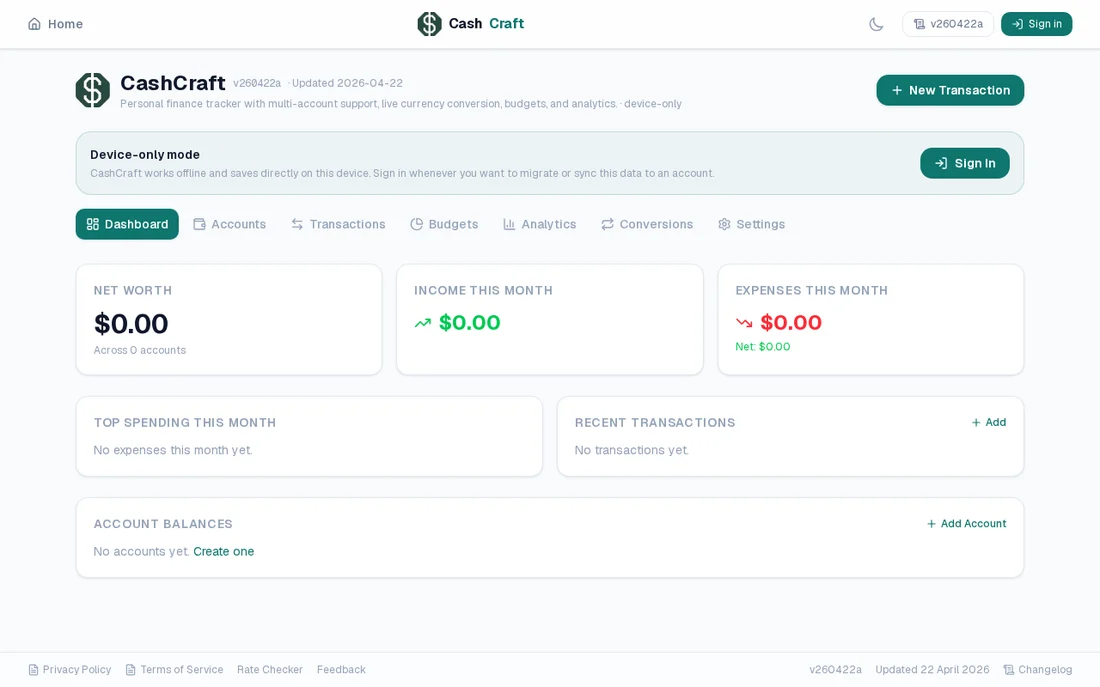
CashCraft keeps a cached copy of your data on the device. On launch it renders that snapshot immediately, then refreshes from the cloud in the background and updates what changed. The cached copy only has to cover the gap until the cloud answers, so the dashboard is usable straight away instead of after a round trip.
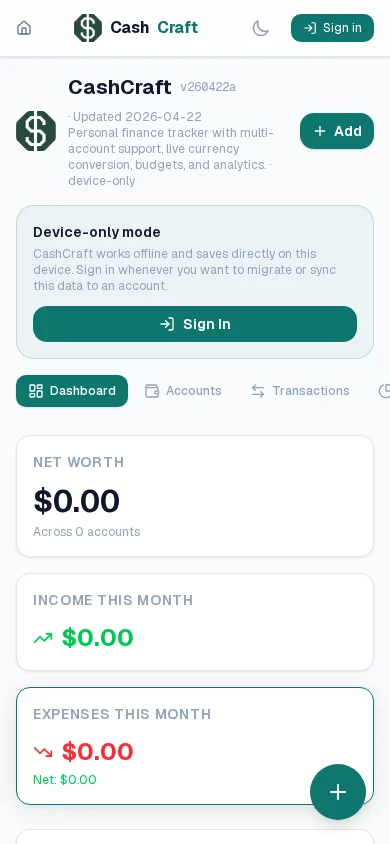
There is also a device-only mode: with no account at all, CashCraft works offline and saves directly on the device, and you can sign in later when you want to migrate or sync that data.
Load less up front#
Rendering fast also means doing less. Non-active tabs (Budgets, Analytics, Conversions, Settings) and modal flows are lazy-loaded, so the first paint only pays for the Dashboard.
TikZ source
% libraries: decorations.pathreplacing
\begin{tikzpicture}[font=\sffamily\footnotesize]
  \node[draw=green!50!black, fill=green!15, rounded corners, minimum width=2.4cm, minimum height=0.8cm] at (0,0) {Dashboard};
  \foreach \name/\x in {Accounts/2.8, Transactions/5.6, Budgets/8.4, Analytics/11.2} {
    \node[draw=gray, dashed, rounded corners, minimum width=2.4cm, minimum height=0.8cm, text=gray!70!black] at (\x,0) {\name};
  }
  \node[below, green!40!black] at (0,-0.55) {loaded at start};
  \node[below, gray!70!black] at (7,-0.8) {loaded on first open};
  \draw[gray!60, decorate, decoration={brace, mirror, amplitude=2mm}] (1.4,-0.5) -- (12.4,-0.5);
\end{tikzpicture}
One codebase, three ways to run it#
The same Next.js app is a website, an installable PWA, and an Android app, with no second native codebase.
TikZ source
% libraries: arrows.meta, positioning
\begin{tikzpicture}[font=\sffamily\small, >={Stealth}, node distance=9mm,
  box/.style={draw, rounded corners, fill=blue!8, minimum height=9mm, minimum width=2.6cm, align=center}]
  \node[box, fill=orange!25] (app) {Next.js app\\(React, Firebase)};
  \node[box, right=14mm of app, yshift=14mm] (web) {Website};
  \node[box, right=14mm of app] (pwa) {Installed PWA\\(manifest + service worker)};
  \node[box, right=14mm of app, yshift=-14mm] (twa) {Google Play app\\(Trusted Web Activity)};
  \draw[->] (app) -- (web); \draw[->] (app) -- (pwa); \draw[->] (app) -- (twa);
\end{tikzpicture}
The Android build is a Trusted Web Activity: a thin wrapper that opens the site full-screen once Android has verified, through digital asset links, that the app and the site belong to the same owner.
Installed apps have their own bugs#
Things that only show up once people install it:
- Sign-in used to eject you from the app. Auth flows returned installed sessions to the website's home page instead of CashCraft. They now return to the app and stay inside its scope.
- Updates that don't arrive. An installed PWA can sit on an old copy for a long time. The manifest now carries the live app version, icon URLs are version-stamped so a new icon is actually fetched, and the app shows an update prompt when a newer version exists.
- A manifest that didn't exist. Next.js only auto-serves
manifest.tsat the root of the app, so my tool-specific manifests were quietly returning 404 until I added explicit route handlers for them. Search Console is what told me.
What I'd tell myself at the start#
Treat startup as a feature with its own budget, render from local data and reconcile afterwards, and test the installed app, not just the website, because its failures are different.
You can try it at CashCraft; it works without an account, with data saved on your device.